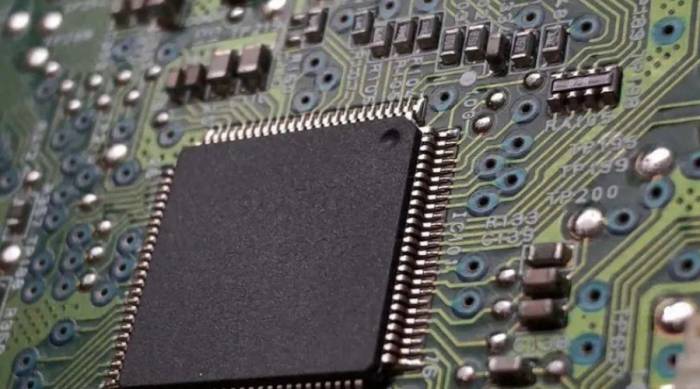
When Apple announced the M4 chip, the spec sheet highlight for many was "AV1 decode." It felt like catching up. Intel and AMD had it. Qualcomm's latest had it. But here's the thing most early reports missed: the way Apple implements hardware AV1 decoding on the M4 isn't just about compatibility. It's a strategic move that directly impacts battery life, device heat, and the quality of your daily media consumption in ways software decoding can't touch. If you're editing video on an iPad Pro or just watching Netflix on a new MacBook Air, this feature matters more than you think.
What You'll Find Inside
AV1 101: Why This Codec Is a Big Deal (Beyond the Hype)
AV1 is a video compression standard created by the Alliance for Open Media (AOM), a group that includes Google, Amazon, Netflix, and Apple itself. It's royalty-free, which is its main political advantage. But for you and me, the real benefit is efficiency. Compared to the older H.264 (AVC) or even the newer H.265 (HEVC), AV1 can deliver the same visual quality at a significantly lower file size. We're talking 20-30% smaller files for the same quality.
Think of it this way: A 10GB 4K H.265 movie could be roughly 7-8GB in AV1 without you noticing a difference in sharpness or color. For streamers like Netflix and YouTube, this means massive savings on bandwidth costs. For you, it means less buffering on slower connections and potentially higher quality streams if your device and connection can handle it.
The catch? AV1 is incredibly complex to decode. Playing it using only software (your CPU) is like solving a giant puzzle on the fly. It works, but it's slow, uses a lot of power, and makes your device warm. This is where hardware decoding comes in. A dedicated circuit on the chip—like the one in the M4—is built specifically to solve that AV1 puzzle. It's faster, uses a fraction of the energy, and stays cool.
Apple was late to this party. The M1, M2, and M3 families lacked this dedicated hardware, forcing devices to fall back to less efficient software decoding. The M4 finally closes that gap.
Inside the M4's AV1 Hardware Decoder: The Nitty-Gritty
Apple's documentation is famously sparse, but based on teardowns and performance analysis, the M4's media engine includes a dedicated block for AV1 decode. It's not an afterthought. It's integrated alongside the proven ProRes and H.264/HEVC decoders. This integration is key—it allows the system to seamlessly switch between codecs without hiccups.
Here’s what this hardware support practically enables:
- 8K Resolution Support: The decoder can handle AV1 streams up to 8K resolution at 60 frames per second. While 8K content is still niche, this future-proofs the chip.
- 10-bit Color Depth & HDR: Full support for 10-bit color (over a billion colors) and HDR formats like HDR10 and Dolby Vision within AV1 streams. This is crucial for high-end video playback.
- Low Power State: The decoder is designed to operate in a very low-power mode, which is why it's so beneficial for streaming on a laptop or iPad. Watching a two-hour YouTube video in AV1 on an M4 iPad Pro will drain the battery noticeably less than doing the same on an M2 iPad Pro using software decode.
A common misconception I see is people thinking the M4 can encode AV1. As of now, it cannot. The hardware block is decode-only. Encoding AV1, which is needed for creators exporting video, is still done via software (which is brutally slow) or not at all in most apps. This is a significant limitation for content creators hoping for an all-AV1 workflow.
Where You'll Actually Feel the Difference: Three Scenarios
Specs are boring. Let's talk about when you'll notice the M4's AV1 decoder working for you.
Scenario 1: The Mobile Video Editor
You're cutting a project on your iPad Pro in DaVinci Resolve. Your client sends B-roll shot on a camera that records in AV1 (some newer Android phones and cameras are starting to). On an older iPad, importing and playing back this footage would be choppy. The iPad might get warm, and the fans on a MacBook Pro would spin up. On an M4 iPad Pro, that AV1 footage plays back smoothly in the timeline. Why? Because the dedicated hardware decoder offloads that task from the main CPU cores, leaving them free for your color grading effects and rendering. The device stays cooler, and your battery doesn't plummet. It removes a friction point.
Scenario 2: The Couch Streamer
You're watching the latest show on Netflix. Netflix has been rolling out AV1 streams, particularly for 4K HDR content on supported devices. On an M3 MacBook Air, Netflix might serve you an HEVC stream. On an M4 MacBook Air, it can serve the more efficient AV1 stream. The result? Possibly a more stable 4K picture if you're on a congested home Wi-Fi network, and definitely less power used. That translates to more hours of streaming on a single charge. You might not "see" the codec, but you feel it in your battery percentage.
Scenario 3: The Tech-Savvy Gamer
Cloud gaming services and game cutscene videos are increasingly using AV1. Services like NVIDIA GeForce NOW offer AV1 streams for higher visual fidelity. Playing on an M4 device means you can tap into those higher-quality streams without your Mac or iPad turning into a space heater. The decoder handles the video stream efficiently, ensuring smoother gameplay and, again, better battery life.
M4 AV1 vs. The Rest: A Practical Look
How does Apple's implementation stack up? It's less about raw speed—most modern hardware decoders are plenty fast—and more about system integration and efficiency.
| Platform / Chip | AV1 Hardware Decode | Typical Power Efficiency | Key Limitation |
|---|---|---|---|
| Apple M4 | Yes (Dedicated Media Engine) | Exceptional (Apple's architecture strength) | Decode only. No hardware encode. |
| Apple M3/M2/M1 | No (Software only) | Poor (High CPU use, drains battery) | Not viable for high-res AV1 playback. |
| Intel Core Ultra (Meteor Lake) | Yes (Integrated GPU) | Good | Performance can vary more by driver. |
| Qualcomm Snapdragon X Elite | Yes (Dedicated Block) | Very Good (Designed for always-on mobile) | Ecosystem/content availability on Windows. |
| NVIDIA / AMD Desktop GPUs | Yes (GPU-based) | Good (but higher total system power) | Tied to a power-hungry discrete GPU. |
Apple's edge, as usual, is in vertical integration. The decoder is part of a unified memory architecture. There's no copying data between CPU and a separate GPU memory pool, which reduces latency and, theoretically, minimizes the energy cost of moving data around. In the real world, this means the M4's AV1 playback might eke out slightly longer battery life in a like-for-like screen brightness test against a Windows laptop on ARM, like one using a Snapdragon X Elite.
However, the lack of AV1 encoding is a clear weakness for Apple when compared to modern NVIDIA and AMD GPUs, which include both decode and encode engines. If you're a creator exporting to AV1, a desktop PC with a recent GPU still holds a massive advantage.
Your Questions, Answered
It improves a specific part of the workflow: playing back source footage that's already encoded in AV1. If your camera or phone shoots AV1, your M4 iPad will handle it smoothly without taxing the CPU. This keeps the device responsive for applying effects and rendering. But most professional cameras still use H.264, HEVC, or ProRes. For those, the M4's existing decoders were already excellent. The AV1 decoder is more about future-proofing and handling content from newer consumer devices.
Almost certainly not. For most users, it's not a killer feature. If you watch a lot of 4K HDR Netflix or YouTube on battery and are very sensitive to battery drain, you might appreciate it. If you frequently work with AV1 source files, it's a legitimate reason. But for general use, the performance jump from M2 to M4 alone isn't driven by the media engine. The upgrade decision should be based on the whole package—CPU, GPU, Neural Engine, and display improvements.
This is speculation, but two reasons seem likely. First, AV1 encoding is even more computationally complex than decoding, requiring a larger, more power-hungry silicon footprint. Second, and more importantly, Apple has its own ecosystem to protect. ProRes is Apple's professional codec of choice. It's optimized for their hardware, offers fantastic quality, and locks professionals into their ecosystem. Adding a powerful, open-source competitor like AV1 encode might cannibalize ProRes's raison d'être for many users. They'll likely hold out until market pressure (or their own ProRes evolution) forces their hand.
On YouTube, you can right-click on a playing video and select "Stats for nerds." Look at the "Codecs" line. If you see "av01" listed, you're streaming AV1, and your hardware decoder is active. On Netflix, it's trickier and often requires specific browser extensions or developer tools to see the manifest information. The easiest real-world test is to play a known AV1 4K video (like test clips from the AOM website) and monitor your device's activity monitor or battery usage. Low CPU usage and cool temperatures are good indicators the hardware decoder is working.
The M4's AV1 decoder is a welcome and necessary addition. It's not flashy, but it's a foundational piece that makes your device more capable and efficient in an AV1-driven future. It removes a potential bottleneck for creators and extends battery life for everyone else. Is it revolutionary? No. But it's a sign that Apple is finally playing ball with the open media ecosystem, and that's good for all of us who use their devices to watch and create.